
Move, copy or delete a session
Open any session and the row of chips under the start button does all four. What each one costs you in terms of the rest of the week is not the same, so it is worth knowing which is which.
Open any session and the row of chips under the start button does all four. What each one costs you in terms of the rest of the week is not the same, so it is worth knowing which is which.
A full-screen calendar opens on the session's current day. You can choose anything from today up to ninety days ahead.
The legend marks your new day, the current one, and any day that already has a session on it. Underneath, a COACH CHECK card says what the move would do to your week.
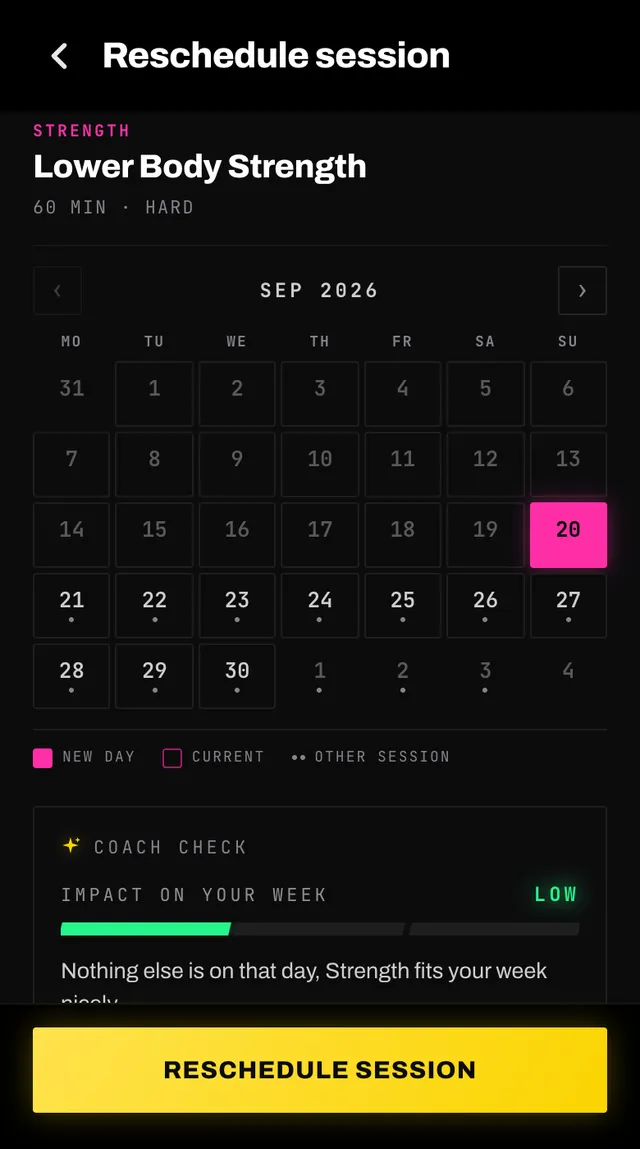
Tap RESCHEDULE SESSION. Moving a session you had skipped also un-skips it.
If you moved something and now want the week rebalanced around it, ask your coach in chat. That is the one place a full rebuild is offered.
Duplicate opens the same calendar, starting a week out. The copy carries the exercises but none of the results, so it is a fresh session to do rather than a second record of one you finished. As with a move, a line of your coach's note that names a day the new one does not fit is left off the copy.
Skip asks why, with chips for no time, tired, sore or a niggle, unwell and other, and a box for anything else you want your coach to know. The sheet says plainly that the rest of your week stays as planned.
Delete asks you to confirm and then removes the session for good. There is no undo.
Any session you move, edit or duplicate becomes yours. From that moment your coach treats it as fixed and plans around it rather than replacing it.
A coach session you moved here, or edited here or through chat, still counts as one of that week's coach sessions, so a rebuild does not add another on top of it. A copy you made with Duplicate is extra. A session moved through chat stays your coach's, so a later rebuild can place it again.
That is what makes the change stick. Without it, the next rebuild would quietly put your Tuesday session back on Monday, which is exactly what you were trying to avoid.
Open the app, go to You, and tap the feedback row at the bottom. It reaches a person, not a queue. Or write to hello@smashcoach.app.