
Races and events
Your race sits above everything else in the plan. Adding it tells your coach what it is building towards and how long it has.
Your race sits above everything else in the plan. Adding it tells your coach what it is building towards and how long it has.
Tap the plus on Home or Agenda and choose Add event. Pick the competition, then fill in the detail: the date, your division and format, your experience, whether you are chasing a time or aiming to finish, and how hard you want to commit.
None of it has to be perfect. The screen says so, and you can edit all of it later.
HYROX is the only competition you can pick at the moment. The others are shown so you know what is coming, and are marked as such.
Tick Date not decided yet if you know what you are training for but not when. Your race then shows as TBD everywhere, and your coach writes race-specific training without building towards a peak.
Set the date when you know it and the run-in gets planned properly.
Open your race from Home or Agenda, or from Manage events. The page shows the countdown, all the detail you entered, your coach's phase plan for the season, and coach confidence.
EDIT changes any of it. Editing or removing an upcoming race rebuilds your plan around the change.
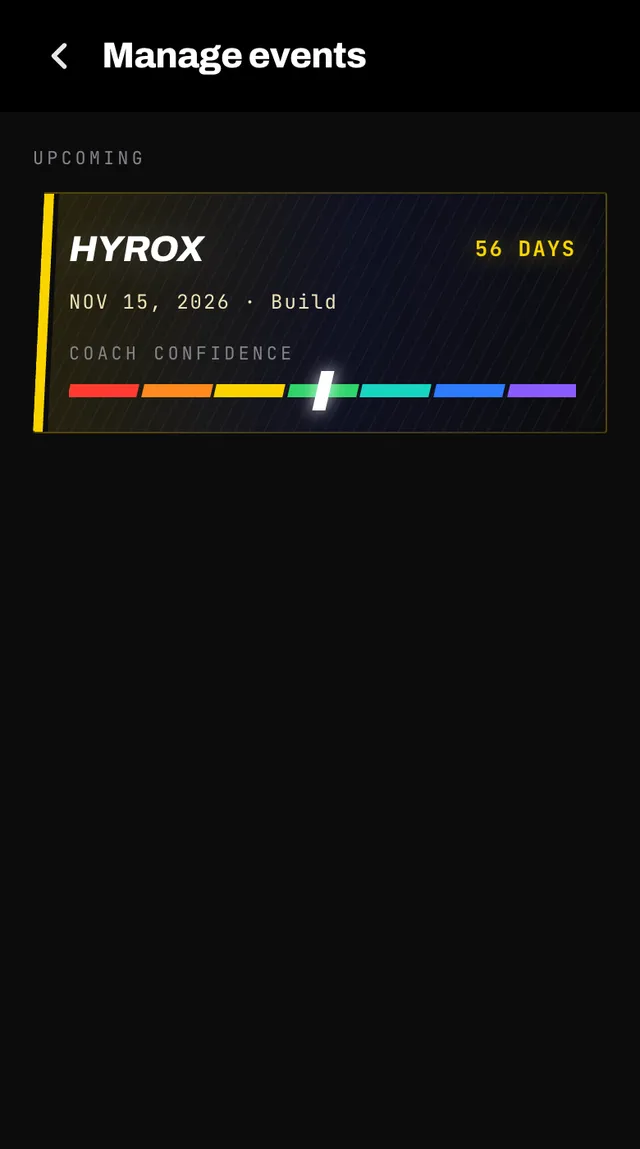
A daily read of how ready your coach thinks you will be, from NEEDS WORK through BUILDING, SOLID and STRONG to PEAKING. Tap it for the breakdown.
It blends how consistently you finish what is planned, whether your recent volume is enough to progress, and how much time is left. It needs about a week of logged sessions before it shows anything, and says so rather than inventing a number.
Your event archives itself the day after and moves to PAST. Open it and add your finish time, which your coach uses as a reference for what comes next.
The race day itself, opened from your plan, gets a Share chip once it is marked done. It makes a picture of the race to post or send, timed by the finish you recorded on the race day, or else by your watch.
Once one race is out of the way you can add the next. Removing a race that has already happened just tidies your history and costs nothing.
Open the app, go to You, and tap the feedback row at the bottom. It reaches a person, not a queue. Or write to hello@smashcoach.app.