
Add a sport or a class
Tell your coach what you already do and it plans around it instead of on top of it. That is the whole point of the app, so it is worth getting right.
Tell your coach what you already do and it plans around it instead of on top of it. That is the whole point of the app, so it is worth getting right.
Go to You. Under SPORTS STACK, tap + ADD.
The list is split into SPORTS and GROUP CLASSES. Search if it is quicker. Anything already in your stack carries a tick.
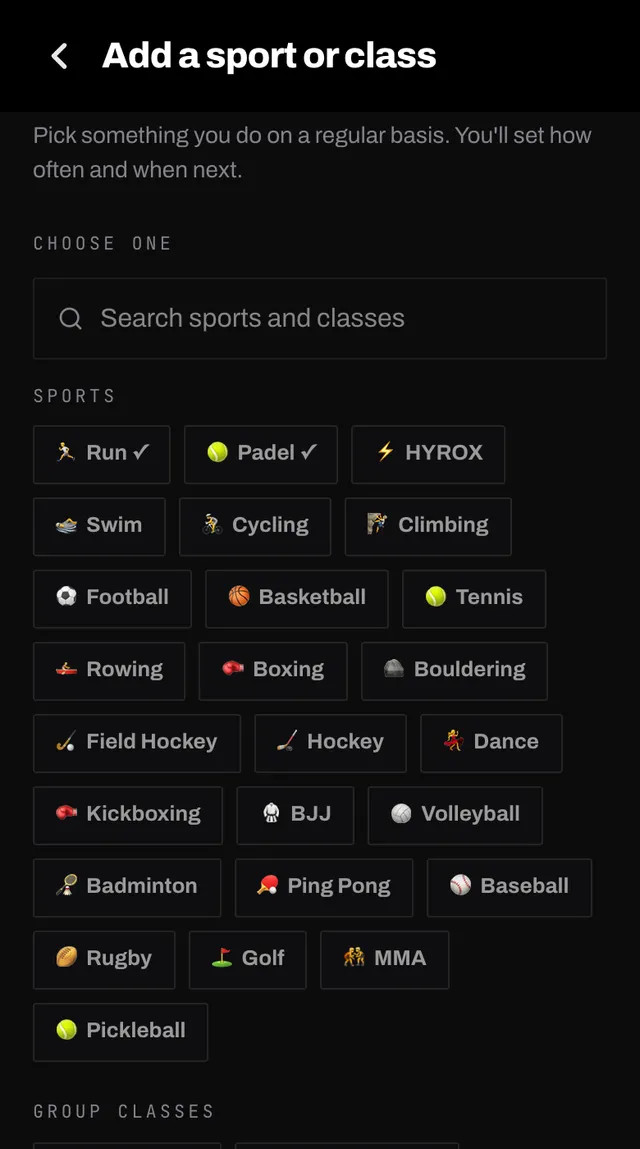
Tap Other and type it. Your coach checks the name first, so a typo does not become a sport. If it does not accept it, it explains why and you can rephrase.
You land straight on the settings for that activity: how often, which days, how long. That page is covered next.
A sport is something you do that your coach supports from the outside. It plans strength and conditioning that makes you better at it and keeps you in one piece.
A class is a session someone else has already programmed. Your coach counts it as training you have done rather than planning around it from scratch, so it adjusts what it gives you instead of adding on top.
You will notice the difference in two places. A class starts on fixed days, because a timetable decides when it happens. And its warm-up option offers a short activation routine to do before the class, since the class brings its own warm-up.
Your own gym, strength and mobility work does not go here. That is the space your coach programs for you, and it is set under Coach sessions.
Add the things you would do whether or not you had a coach: the club night, the weekly class, the Saturday run with friends.
Open the app, go to You, and tap the feedback row at the bottom. It reaches a person, not a queue. Or write to hello@smashcoach.app.