
Report an injury
This is the single most important thing you can tell your coach. It drives every safety decision, and your plan changes immediately.
This is the single most important thing you can tell your coach. It drives every safety decision, and your plan changes immediately.
On Home, find LIMITATIONS and tap MANAGE, or the + REPORT on the card. Either one opens the list.
That is the form itself. The extra tap catches people out, so if you expected to be typing already, this is where you are going.
Injury or Fatigue, then a preset such as a knee, a shoulder, poor sleep or work stress. If none fits, tap Other and describe it. Your coach checks what you type before it is accepted.
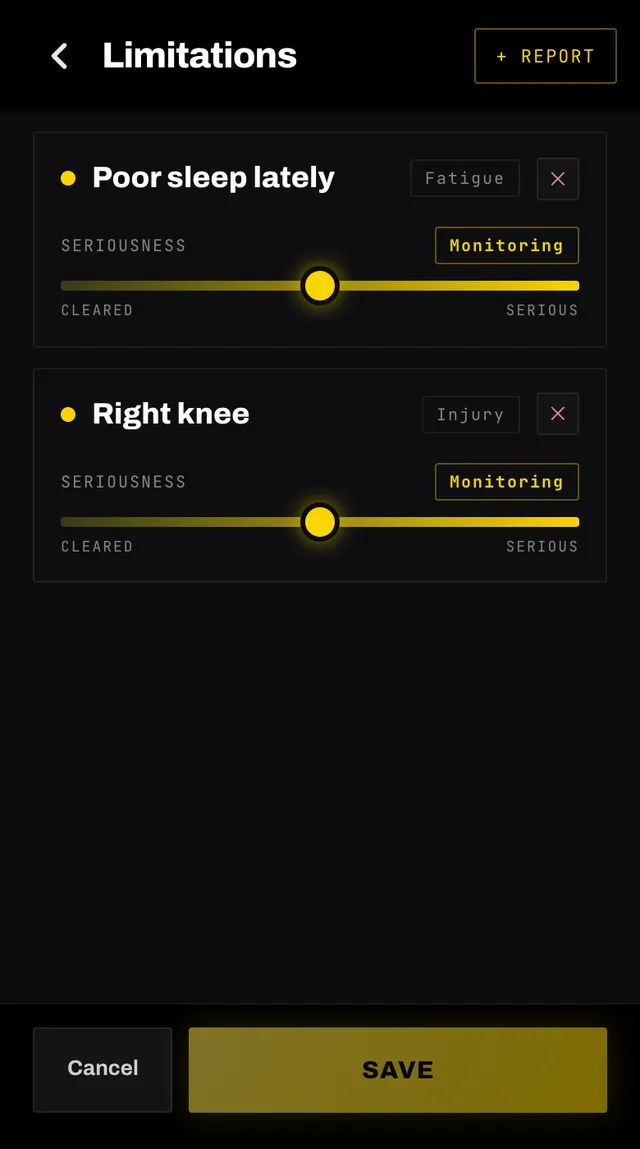
The slider runs from Cleared to Serious. Add a note if there is something specific your coach should avoid, such as how it flares up. Then tap Add.
Your plan is rebuilt straight away and you are taken back to Home while it runs.
Do not delete it. Move its seriousness slider down instead, from Flaring up to Monitoring to Almost healed, and let your coach bring the load back gradually.
Each change is provisional until you tap Save, which rebuilds your plan around where you are now.
Your coach is a training tool, not a medical service. It will not tell you what is wrong with you and it will not suggest treatment. It keeps your training conservative around what you have reported and tells you to see a physio or a doctor.
For anything alarming, such as chest pain, fainting or a head injury, stop training and get help. Do not adjust a session and carry on.
Open the app, go to You, and tap the feedback row at the bottom. It reaches a person, not a queue. Or write to hello@smashcoach.app.