
Skip to content

Install it on your phone

Smash Coach is not in the app stores. It installs from the website onto your home screen, where it opens full screen like any other app.

The easy way

Shortly after you sign up, a task appears on Home reading Install Smash Coach. Tap it. On Android it triggers your browser's own install prompt, and on everything else it shows you the steps.

For your first two weeks the task has no dismiss. It goes as soon as the app is installed, and after a fortnight you can close it for good with the ✕.
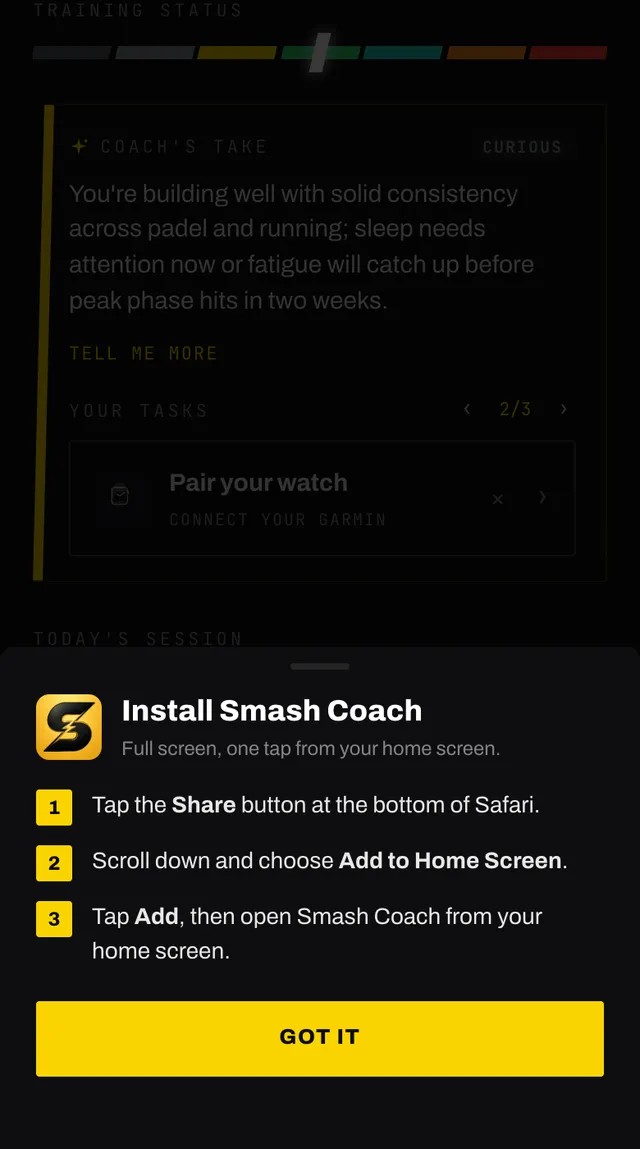
The install Smash Coach sheet with numbered steps for adding the app to the home screen

On an iPhone or iPad

  1. Open the site in Safari. Installing does not work from other browsers on iOS.
  2. Tap the Share button at the bottom of Safari.
  3. Scroll down and choose Add to Home Screen.
  4. Tap Add, then open Smash Coach from your home screen.

On Android and everywhere else

  1. Open your browser menu, usually three dots or an icon in the address bar, and look for Install app or Add to Home screen.
  2. Confirm, and Smash Coach opens like a native app.

One thing that changes once installed

Voice input in chat works slightly differently in the installed iPhone app: it records what you say and turns it into text once you stop, rather than showing the words as you speak. Everything ends up in the same place.

Common questions

Is Smash Coach in the App Store or on Google Play?
No. It installs straight from the website, which is why there is nothing to search for in a store. The installed app behaves the same way once it is on your home screen.
Why can I not install it on my iPhone?
On iPhone and iPad this only works from Safari. If you are in Chrome or another browser, open smashcoach.app in Safari first, then use Share and Add to Home Screen.
What do I get by installing it?
It opens full screen from your home screen, without the browser bars, and it feels like any other app. Your plan and your account are the same either way.
The install task has no close button.
For your first two weeks there is no dismiss on it. Installing the app removes it, and after a fortnight the small cross appears so you can close it for good.
I dismissed the install task. Can I get it back?
The task is gone once you dismiss it, but you can still install at any time using your browser menu. On iPhone that is Share and Add to Home Screen, and elsewhere look for Install app in the browser menu.
Do I need to sign in again after installing?
Usually not, but if you do, use the same method you signed up with.

Still stuck

Open the app, go to You, and tap the feedback row at the bottom. It reaches a person, not a queue. Or write to hello@smashcoach.app.