
Delete your account
One screen, no email required and no waiting period. It cannot be undone, so it is worth reading what goes first.
One screen, no email required and no waiting period. It cannot be undone, so it is worth reading what goes first.
If what you want is to stop paying, cancel. You keep Pro until the period you have paid for ends, and your account, your calendar and every session you have logged stay exactly where they are.
Deleting is for when you want the data gone. If you are paying, it also cancels your subscription immediately and does not refund the rest of the period.
You, then Settings, then Delete account, at the bottom in red.
Your profile, your sports, your events, every workout and its history, your limitations, any cycle data, your conversations with your coach and any linked Garmin tokens.
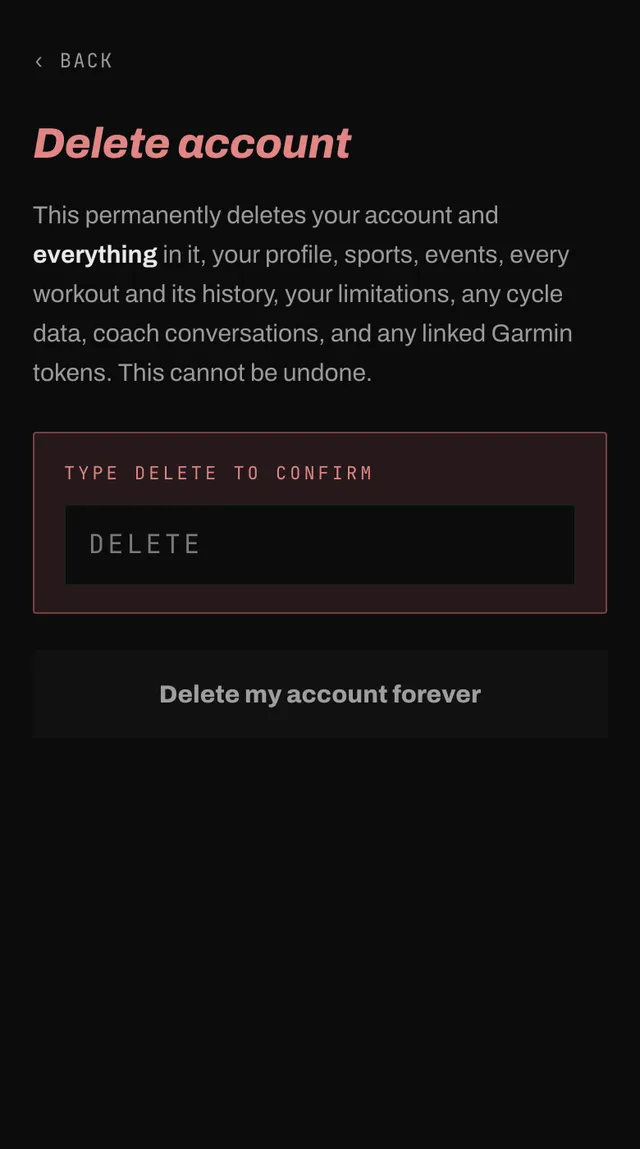
The button unlocks once you have typed it. Then Delete my account forever. You are signed out and returned to the website.
Almost everything goes straight away. Three things do not, and none of them is a choice we make.
If your subscription cannot be closed, the account is deliberately not deleted, so you are never left paying for something you have left. The screen tells you to try again shortly.
In the rare case where the subscription is cancelled but the deletion fails, the screen says so and asks you to email hello@smashcoach.app. Nothing further will be charged, and we finish it by hand.
Open the app, go to You, and tap the feedback row at the bottom. It reaches a person, not a queue. Or write to hello@smashcoach.app.