
Pair your Garmin watch
Linking your watch puts your next few sessions on your wrist and sends finished workouts back. It takes about two minutes, and you need your watch and your phone together.
Linking your watch puts your next few sessions on your wrist and sends finished workouts back. It takes about two minutes, and you need your watch and your phone together.
You need the Connect IQ app on your phone. Garmin installs watch apps through it, not through a browser, and the store page will tell you the same thing if you open it on a laptop.
Have your watch with you and charged. The code it shows you only lasts five minutes, so this is a two-minute job rather than something to start and come back to.
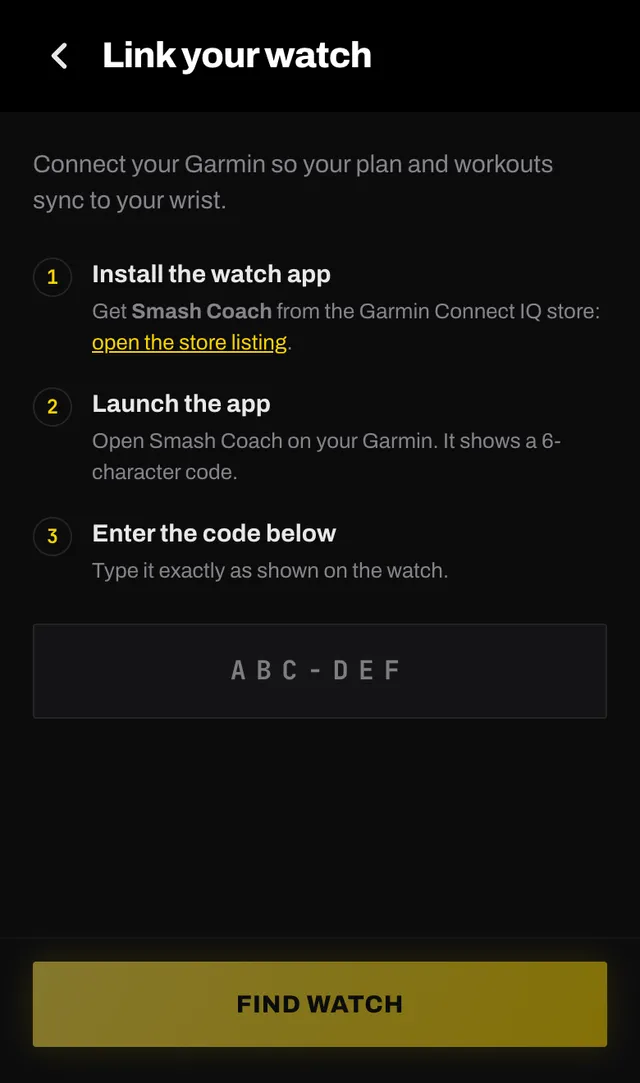
Open the Smash Coach listing in the Connect IQ store on your phone and install it. Your watch picks it up the next time it syncs with Garmin Connect, which is usually within a minute or two.
Find it in your watch apps list and launch it. It shows a six-character code in the shape ABC-DEF. Leave that screen open. The code is only good for five minutes.
On your phone, go to You, then Settings, then Connected devices, then Pair a watch. If you have never paired one, there is also a Pair your watch task on your Home screen that goes to the same place.
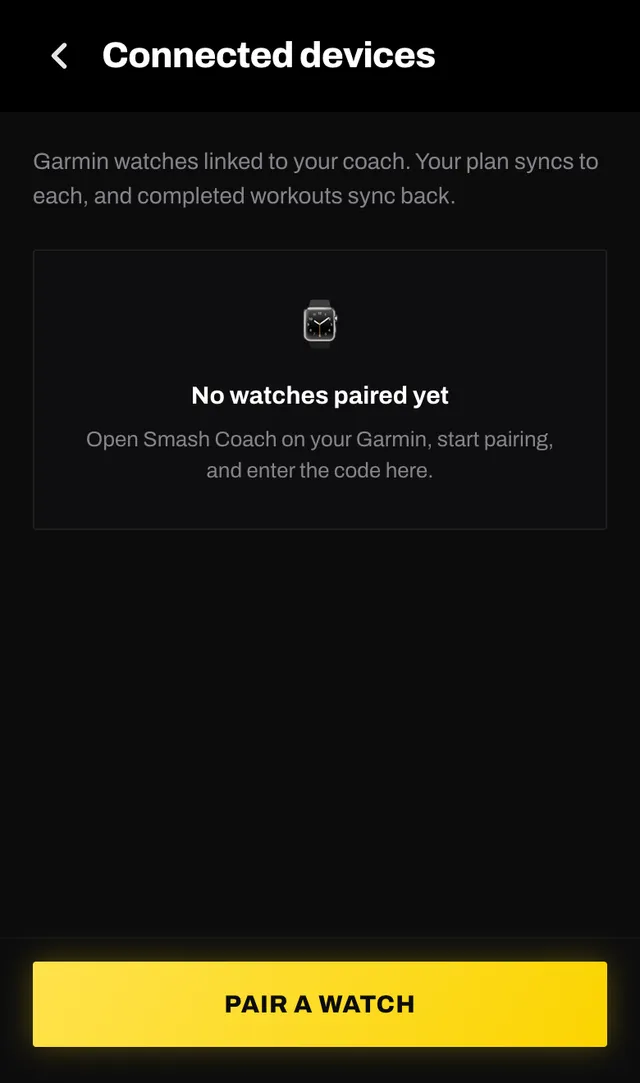
Enter the six characters exactly as the watch shows them, then tap FIND WATCH. The app looks the code up and shows you which device is asking.
You will see the watch model, the app version and the code. Check that the code on this screen is the one on your own watch, then tap LINK THIS WATCH. The app confirms with a short message and takes you back where you started.
The watch pulls your next three days of sessions, each one broken into its blocks with the target, the short cue line, and a picture on the first exercise. Rest days come through as rest, so an empty day never looks like a missing one.
Start a session on the watch and it records a normal Garmin activity, with heart rate, GPS and laps that line up with your plan. When it finishes, the result comes back to Smash Coach and the session is marked done. If you start the same session on your phone as well, the two stay in step with each other within a few seconds.
Sessions your coach is still writing do not appear on the watch until they are finished.
Code expired. Codes last five minutes. Start pairing again on the watch and you will get a fresh one.
Code not found. Almost always a typo. The characters that get confused are 0 and O, and 1 and I. Read it off the watch again.
Someone else opened this code. A code is claimed by the first account that opens it, and this one was opened somewhere else. That is a protection, not a fault: start pairing again on the watch for a new code, and do not use a code that came to you in a message.
Already linked. The watch is linked to a different account. Unlink it there, or just start pairing again on the watch to get a fresh code.
Couldn't check that code. This one is about the connection, not your code. Your code is probably fine. Wait a moment and try it again.
Open the app, go to You, and tap the feedback row at the bottom. It reaches a person, not a queue. Or write to hello@smashcoach.app.